
Adding doors: hinged, sliding, and French
Place hinged, French, or sliding doors on any wall in a couple of clicks — set the width, position, and (for hinged) which way the door swings; Smart Flow Check keeps furniture clear of the swing or slide path automatically.
Here's a layout mistake almost everyone makes: the door opens into where the sofa goes — and by the time the sofa arrives, it's too late. Getting doors right is two clicks to place, plus two choices to think about: the right type for the opening, and (for hinged) the right swing direction.
Room Sketch 3D supports four kinds of doors: a standard hinged Door, a French Door (two hinged doors side by side, for wider openings), and two sliding variants — Sliding Glass (typically for a patio or balcony) and Sliding Wood (typically for closets and pocket doors). Smart Flow Check accounts for the swing arc on hinged and French doors automatically, so as soon as a piece of furniture is in the way, you'll see it flagged.
What you'll need
- •A floor plan with at least one wall — see How to create a rectangular floor plan
Step by step
- 1
Pick the door type from the left rail
The left rail lists every wall feature you can drop in. For doors you've got four tiles: Door (standard hinged), French Door (double hinged — wider opening, two leaves), Sliding Glass, and Sliding Wood. Click the type you want, then click on the wall where it goes.
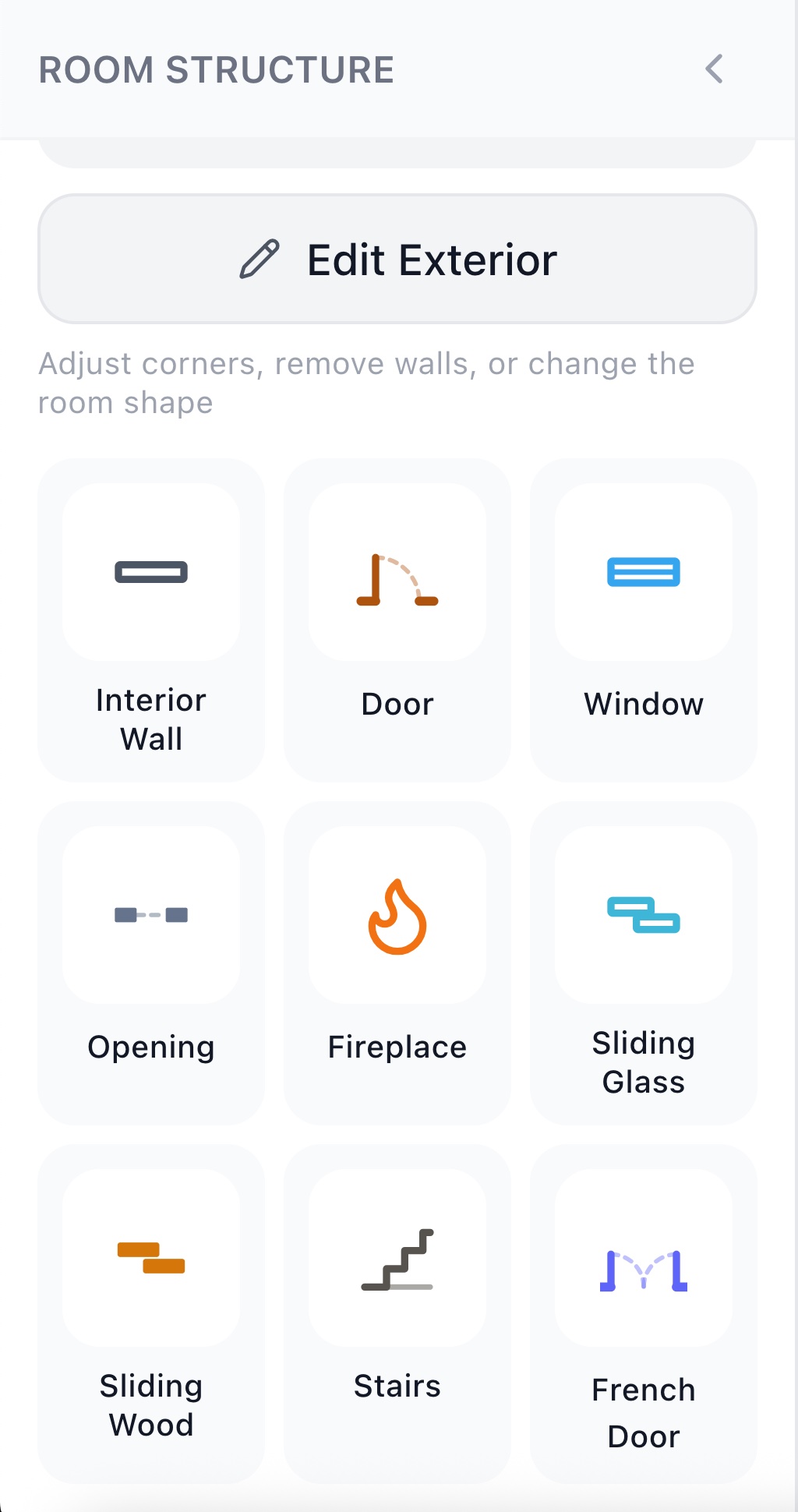
Four door types live in the left rail: Door, French Door, Sliding Glass, Sliding Wood. - 2
Place it on a wall, then set position and width
After you click the wall, the door lands at a default position. Drag it along the wall to slide it where you want — near a corner, dead-centered, wherever it makes sense — or type the exact position in the inspector. Same for width: standard hinged doors are typically 30–36 inches; sliding patio doors run wider; closet sliders are often narrower per leaf.
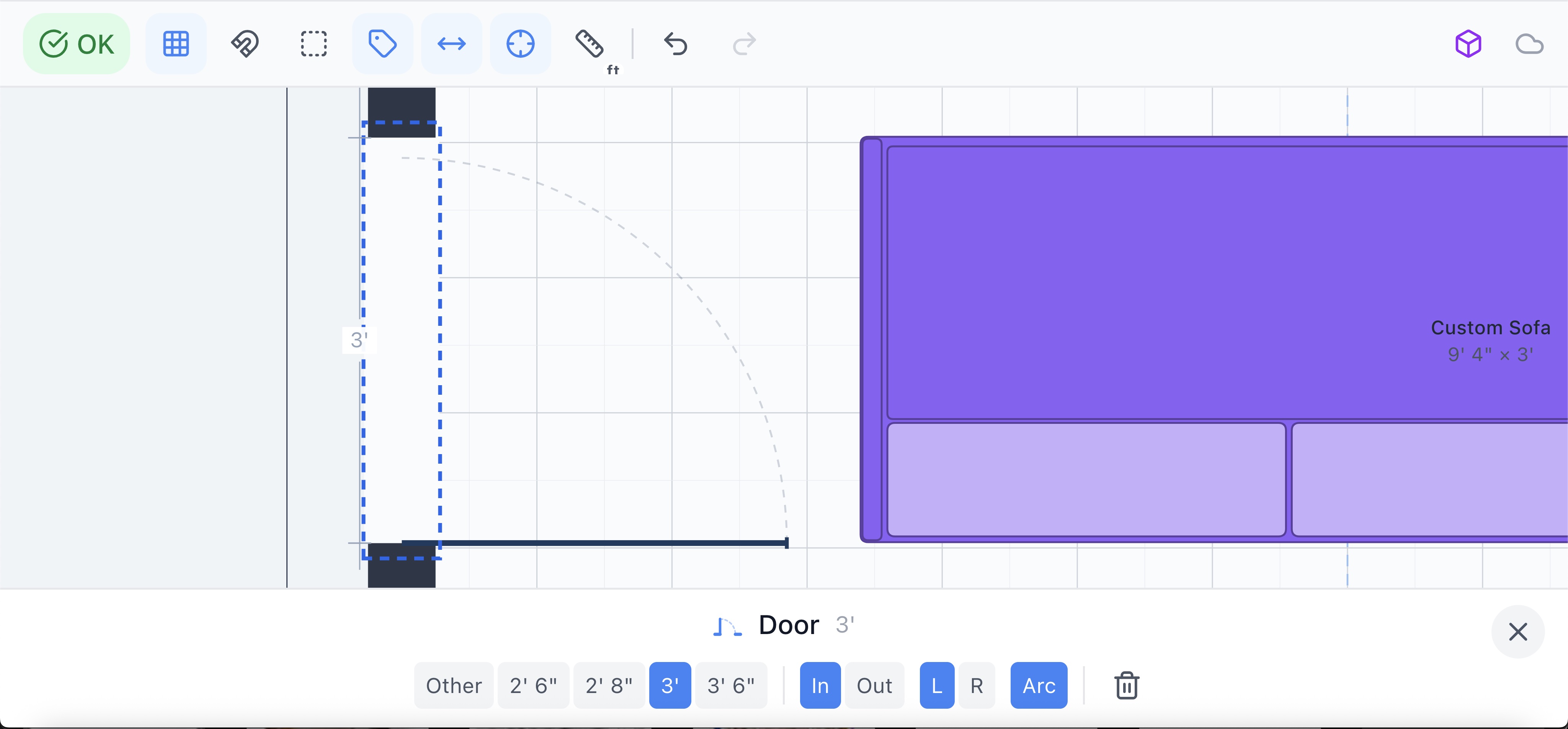
Drag along the wall to position; set the exact width in the inspector. - 3
For hinged doors — set the hinge side and swing direction
A hinged door has two things to decide: which side the hinge is on (the door pivots from there) and which way it swings — into the room or out of it. The swing arc shows up live on the plan, and Smart Flow Check uses that arc to keep furniture clear of the door's path. Get this right once and you'll never put a sofa where the door can't open.
- 4
For sliding doors — no swing, but keep the slide path clear
Sliding Glass and Sliding Wood doors don't swing — they slide along the wall — so there's no arc to keep clear. They still need a clean slide path: don't put a tall piece of furniture against the wall the door slides into, and leave both sides of the opening clear of pieces that would block the door from opening fully.
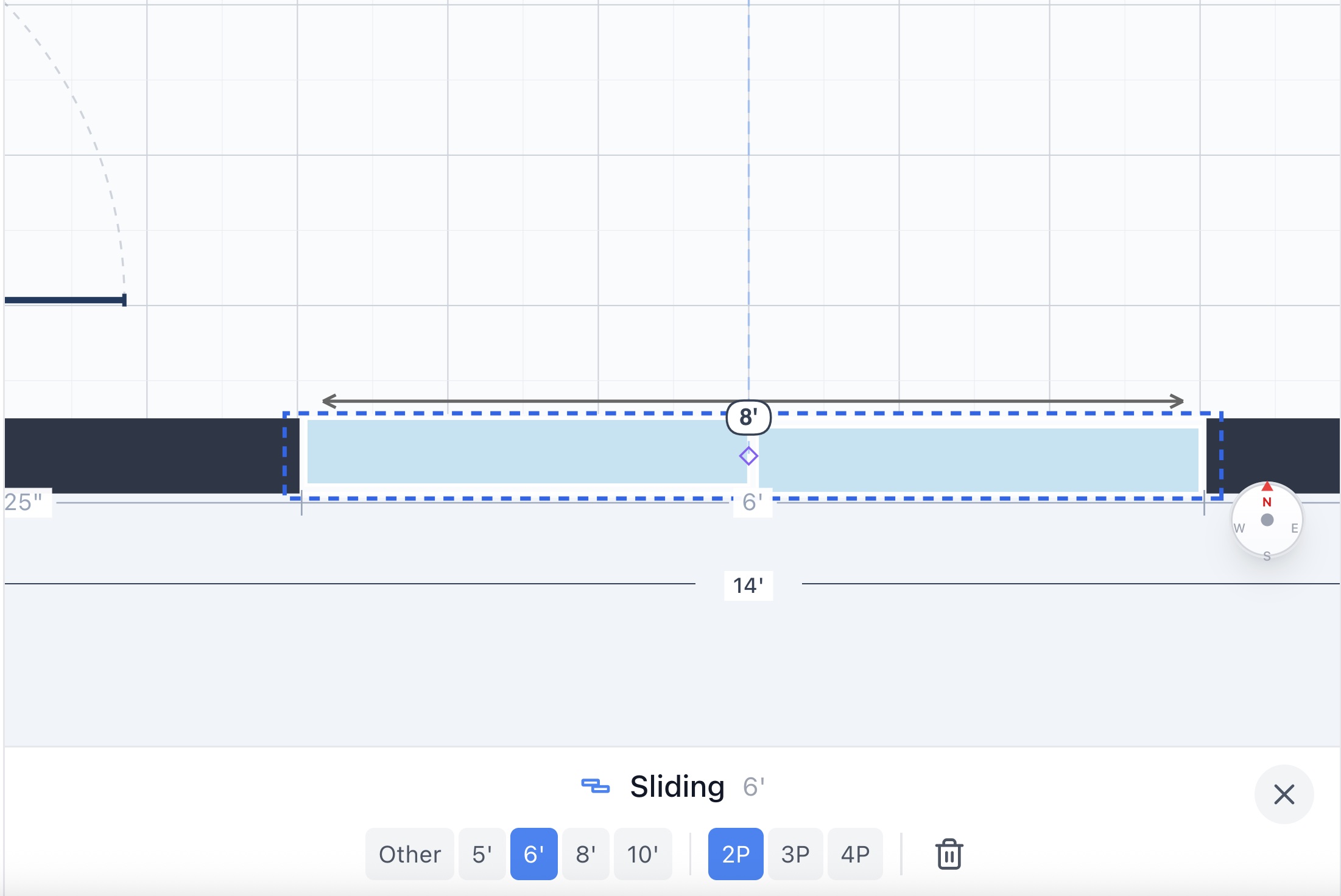
Sliding doors have no swing arc — but the wall they slide into still has to be clear. - 5
Let Smart Flow Check do the rest
Once a door is placed, Smart Flow Check checks it on every change — block the swing of a hinged door with a sofa and you'll see it flagged instantly ("Move it away from the door swing"); the warning vanishes the moment you move the piece. For French doors, the check applies to both leaves. Nothing to invoke — it's always on.
Tips
Match real door widths
Standard interior hinged doors are typically 30–32 inches; main entry doors 36; patio sliding doors 60–96 inches (often six or eight feet); closet sliders vary. Approximating costs nothing here and saves "will this fit through the door" surprises later.
Set the swing the way it'll really swing
Doors mostly swing into the smaller space — into bedrooms, bathrooms, closets — and away from hallways. Set it that way and Flow Check's furniture-clearance check will be checking the right zone.
Use a French door for the wide openings
Any opening wider than ~42 inches that you'd otherwise model as a giant single door is almost always a French door (or an opening — see Fireplaces and openings). It looks right in 3D and behaves correctly in the swing check.
Sliding doors love a clean wall
Even though Flow Check doesn't enforce a swing arc, a sliding door that opens behind a bookcase still doesn't open. Keep the wall the door slides into free of tall pieces.
Common mistakes
Forgetting which way it swings
A door modeled as opening out when it actually opens in (or vice versa) makes Flow Check check the wrong zone — which means it might give you a green light on a layout that doesn't actually work. Set the swing direction to match reality.
Using a single door for an opening that wide
A 60-inch single hinged door has a footprint nothing in the real world has. If the opening is that wide, it's a French door, a sliding door, or a doorless opening. Pick the right one.
Assuming sliding doors need no clearance
They don't need a swing arc, but they do need a clear wall to slide into and clear floor on both sides of the opening. Smart Flow Check still flags pieces that block the slide.
Frequently asked questions
What kinds of doors can I add?
Four: a standard hinged Door, a French Door (two hinged doors side by side — for wider openings), a Sliding Glass door (typically for patios and balconies), and a Sliding Wood door (typically for closets and pocket doors). All live in the left rail.
How do I set which way a door swings?
Select the door and use the hinge-side and swing-direction controls in the inspector. The swing arc updates live on the plan, and Smart Flow Check uses that arc as the no-furniture zone — so getting the swing right is what makes the layout check meaningful.
Do sliding doors have a swing arc?
No — they slide along the wall, so there's no arc to keep clear. But Smart Flow Check still flags pieces that would block the slide or the entrance on either side, so the door's effectively useless if you ignore the warning.
How wide should I make the door?
Match real-world widths. Standard interior hinged: 30–32 inches. Main entry: 36. Patio sliding: 60–96 inches. Closet sliding: varies by opening. The inspector lets you type the exact width.
Can I move or resize a door after I add it?
Yes — drag it along the wall to reposition, or open the inspector to type an exact position and width. Smart Flow Check re-checks live as you do.
Start designing your room
Draw it, furnish it, walk through it in 3D — on web, iOS, and Android.
Open Room Sketch 3DOne-time purchase · No subscription · Web, iOS & Android